
Practical Help Desk

Fundex24 step-by-step guide

Choose what you need from the sidebar. Every section links only to real working Fundex24 pages and actions.

Need a human?

Use the floating live chat or the contact form.

Contact support

Recommended path

Getting started

New to Fundex24? Follow this path to understand where to start and what happens after buying a challenge.

Recommended steps

  1. 1Sign in or create your account first.
  2. 2Choose the right plan from Challenges.
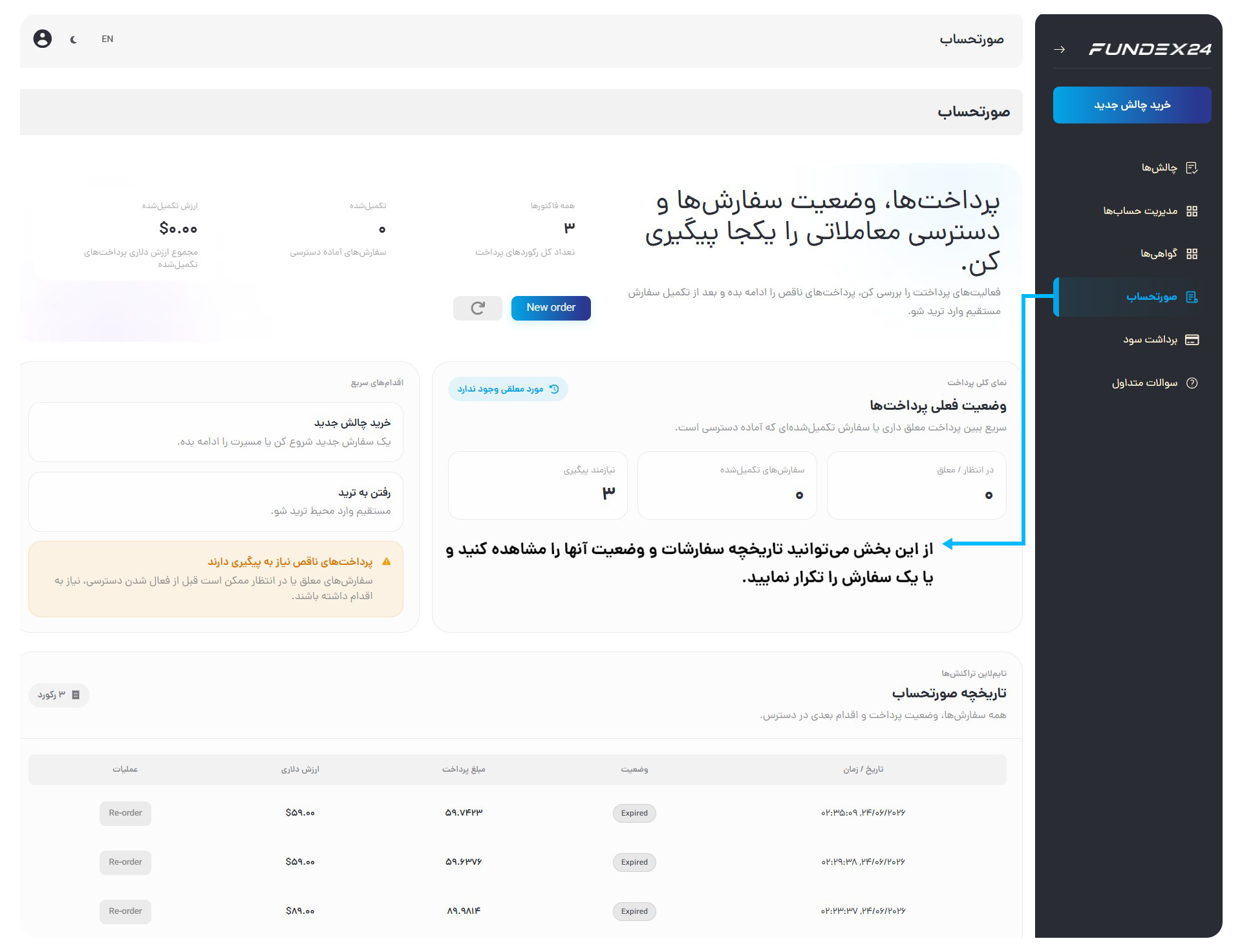
  3. 3After payment, check your order from Billing and Accounts.
  4. 4Once your account is active, use Dashboard and the trading terminal.
Visual guide

Visual guide: trader starting path

This guide shows the full user journey from the homepage to challenge selection, payment, account management and the trading terminal.
1

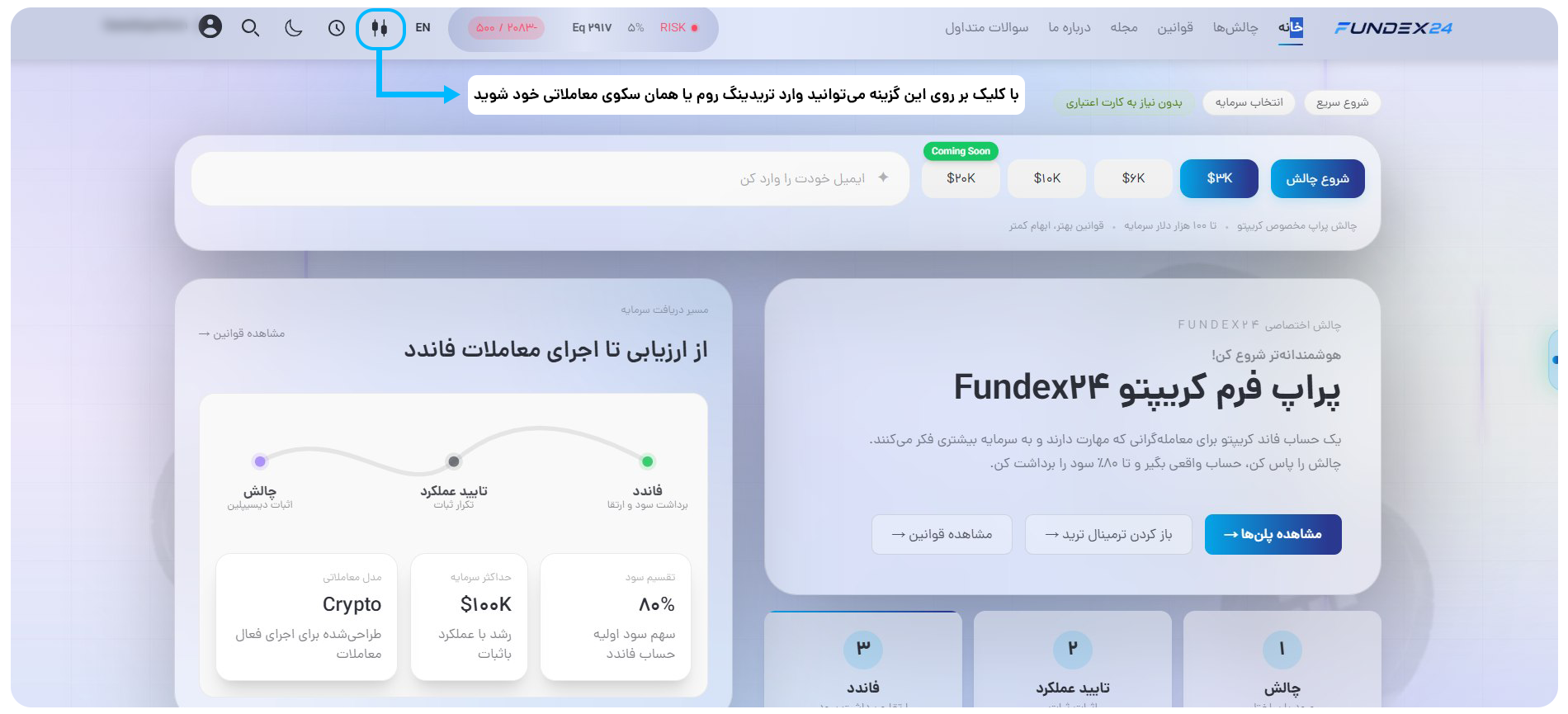
Homepage

Fundex24 homepage visual guide
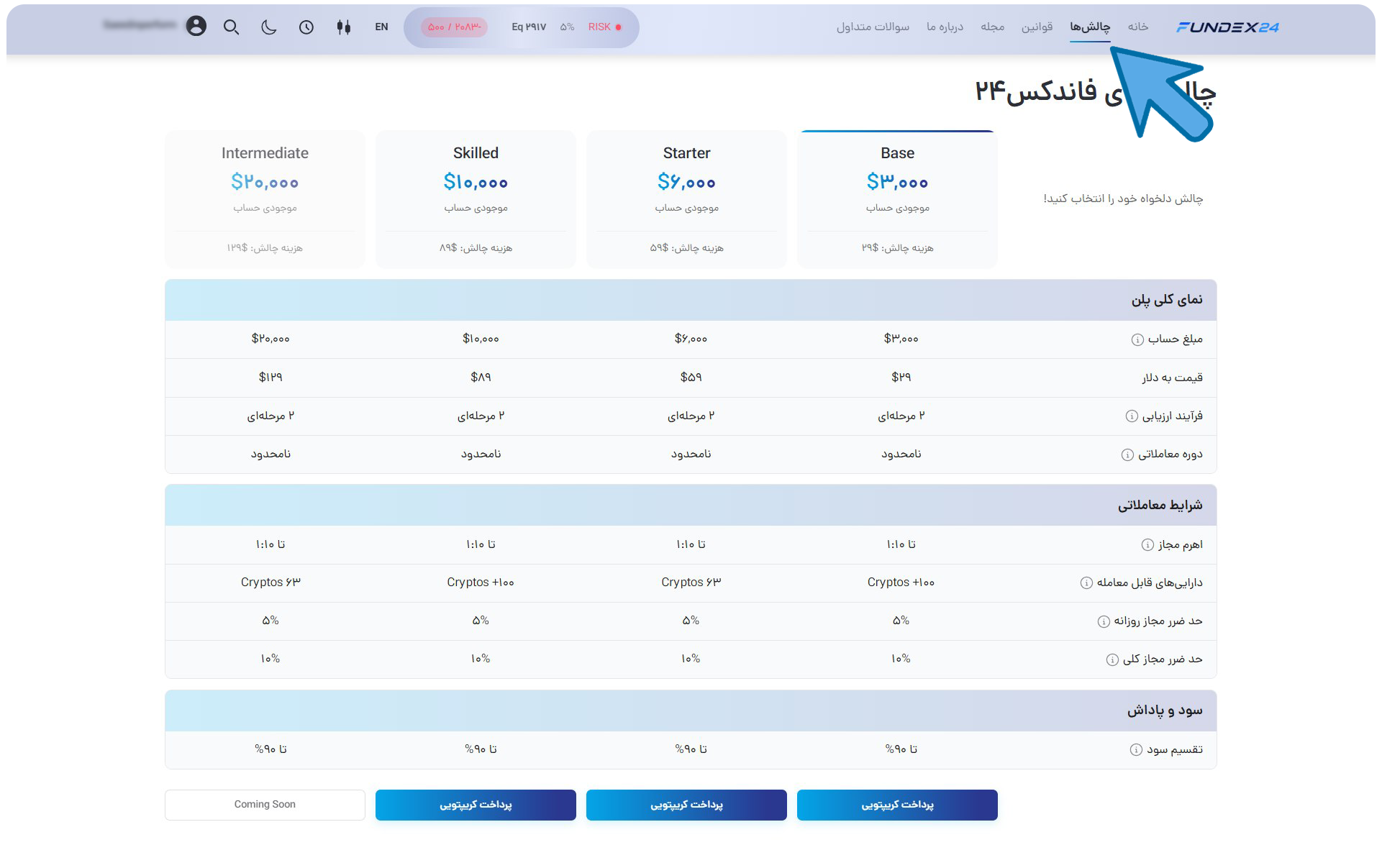
2

Choose a challenge

Fundex24 challenge selection visual guide
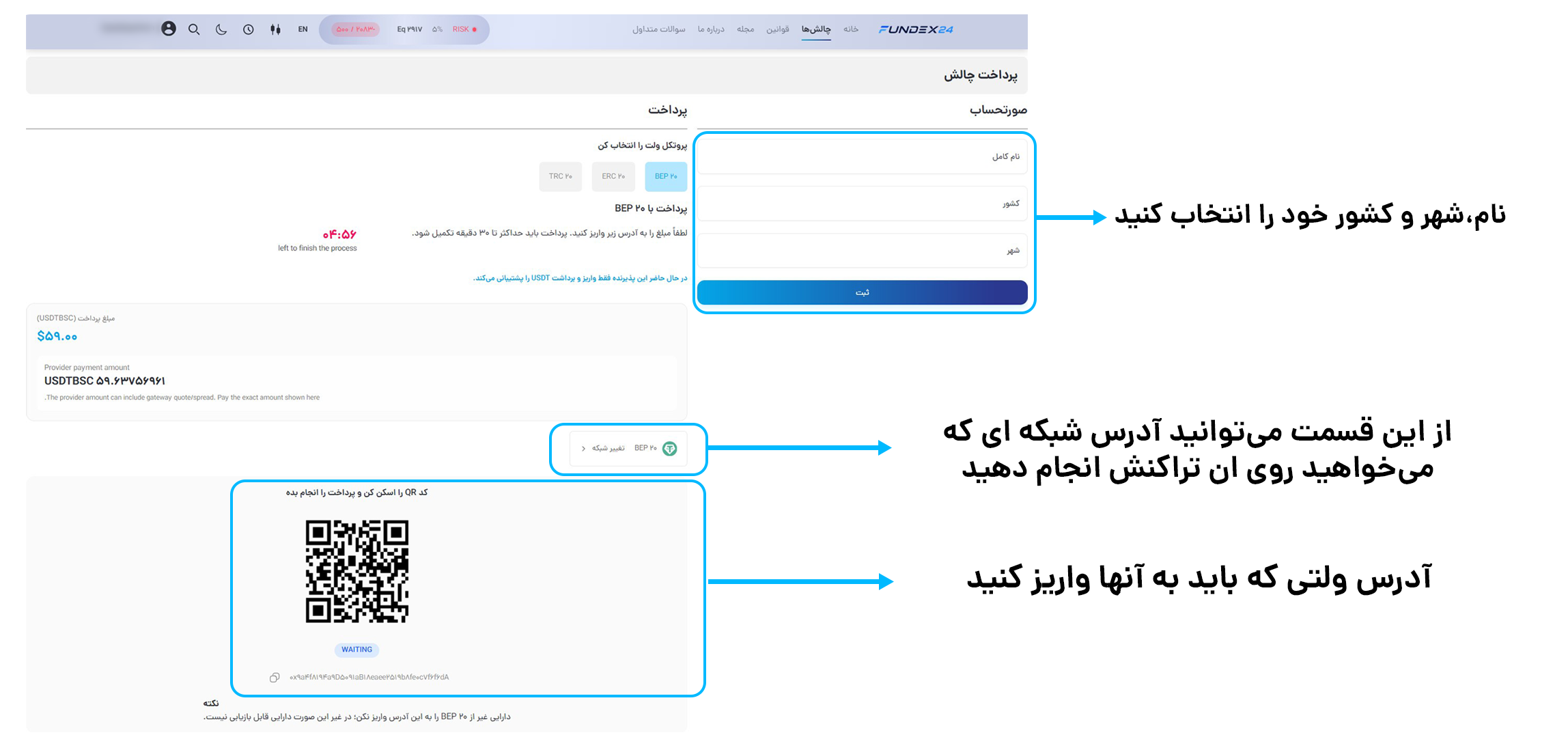
3

Challenge checkout

Fundex24 challenge checkout visual guide
4

Billing and order status

Fundex24 billing visual guide
5

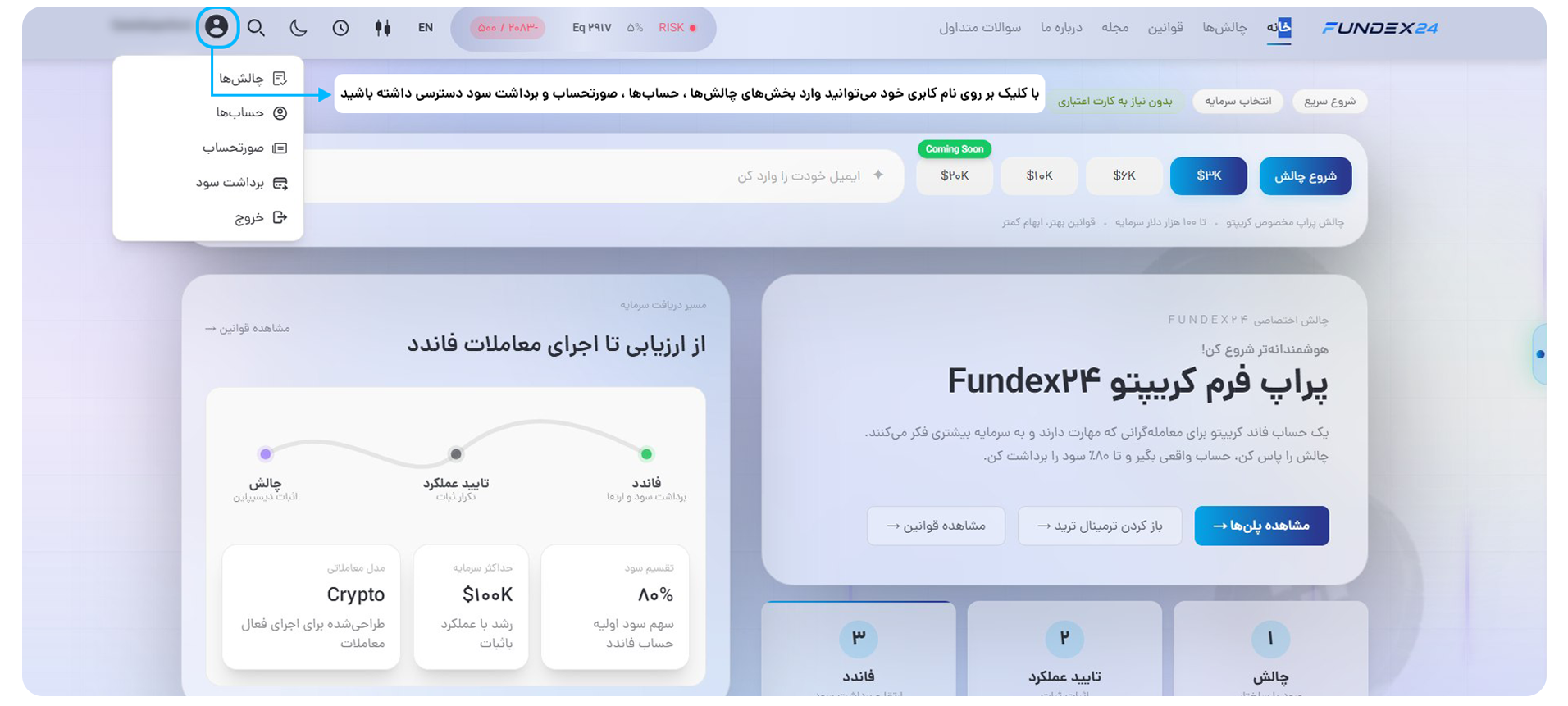
Access the user panel

Fundex24 user panel access visual guide
6

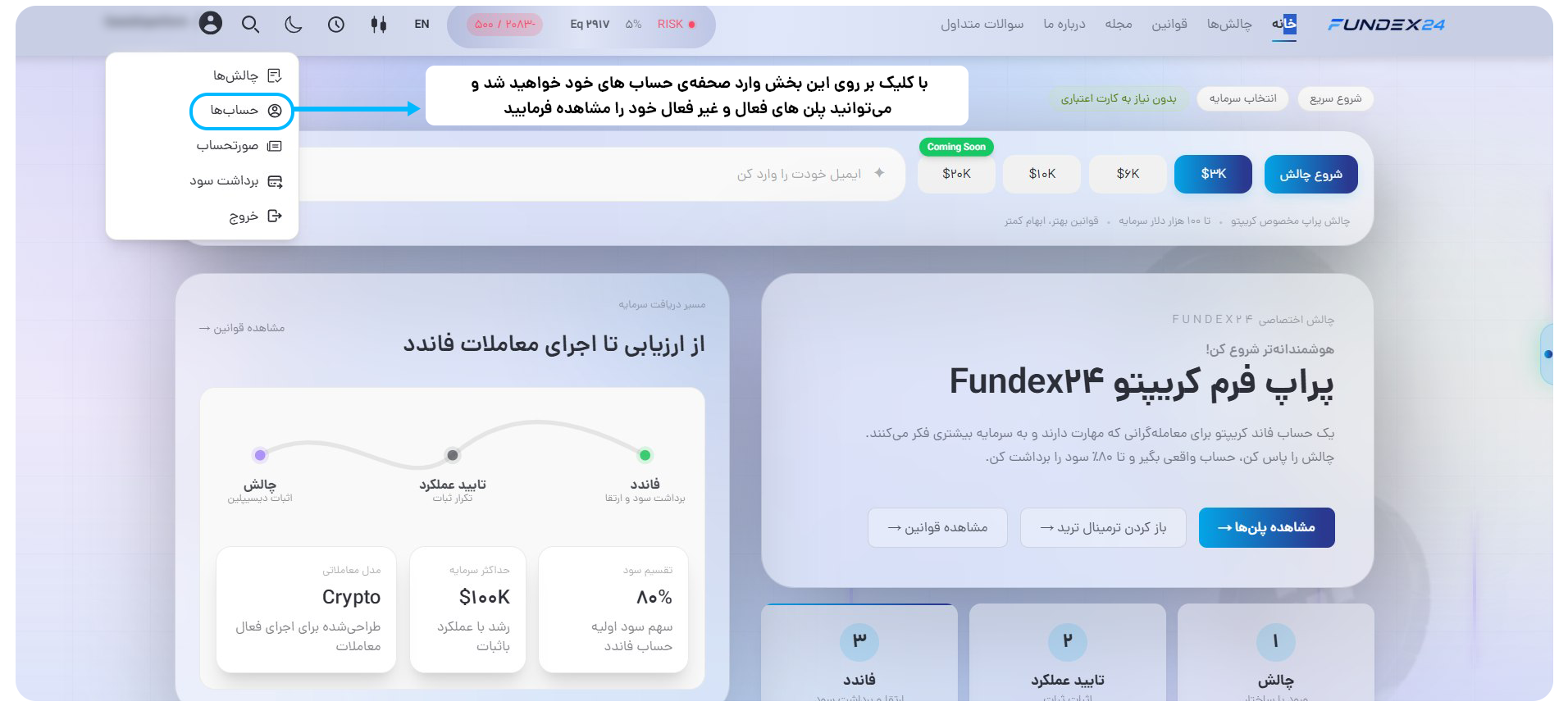
Access accounts

Fundex24 accounts access visual guide
7

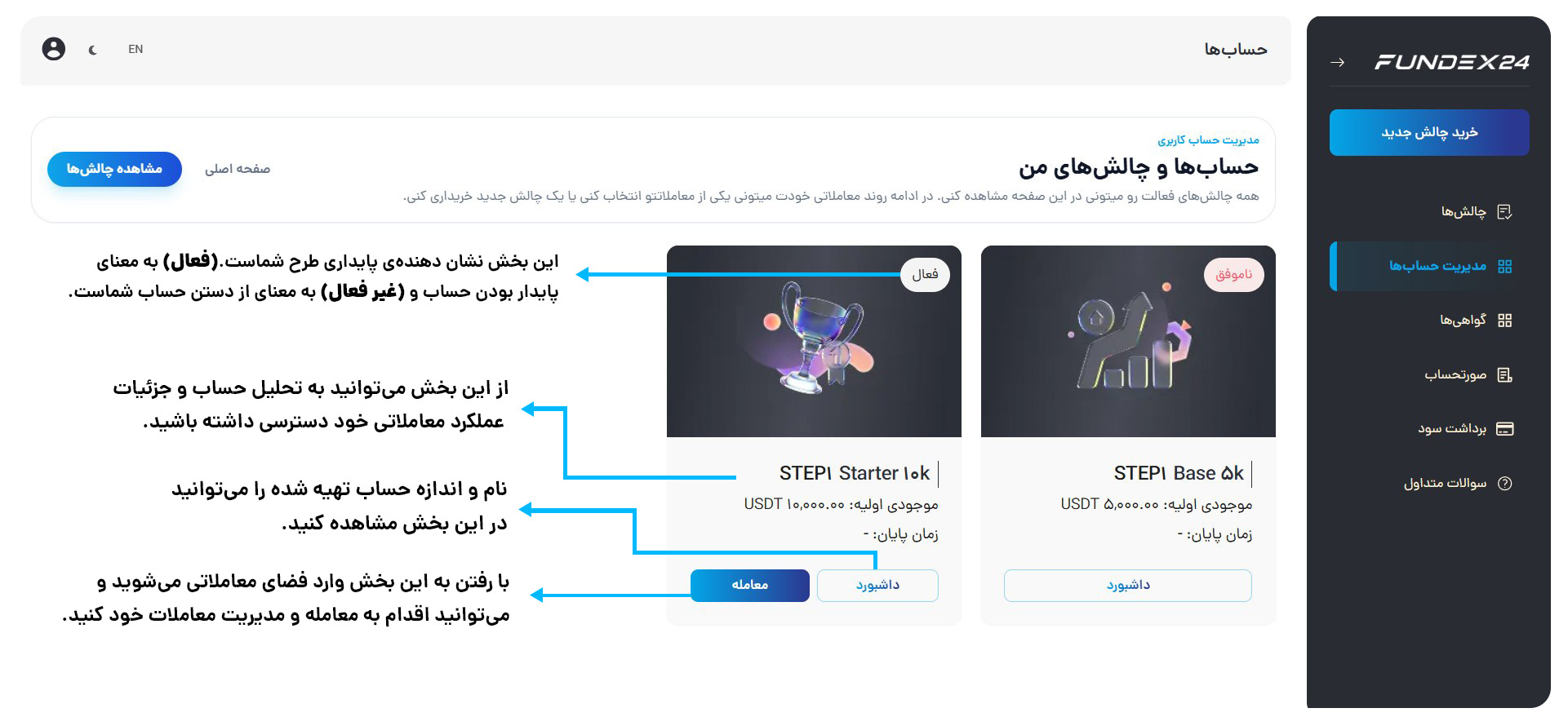
My accounts

Fundex24 accounts visual guide
8

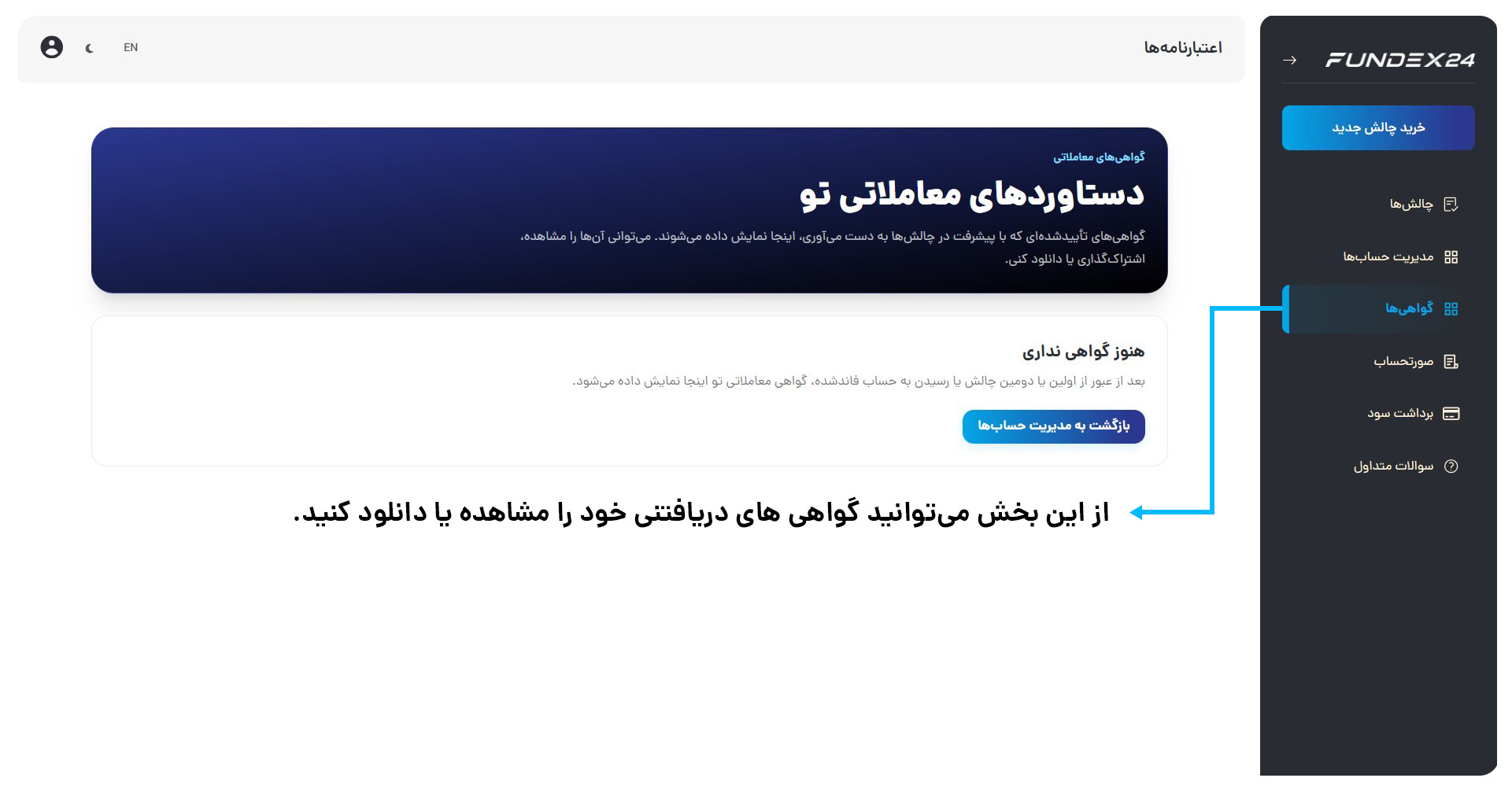
Credentials

Fundex24 credentials visual guide
9

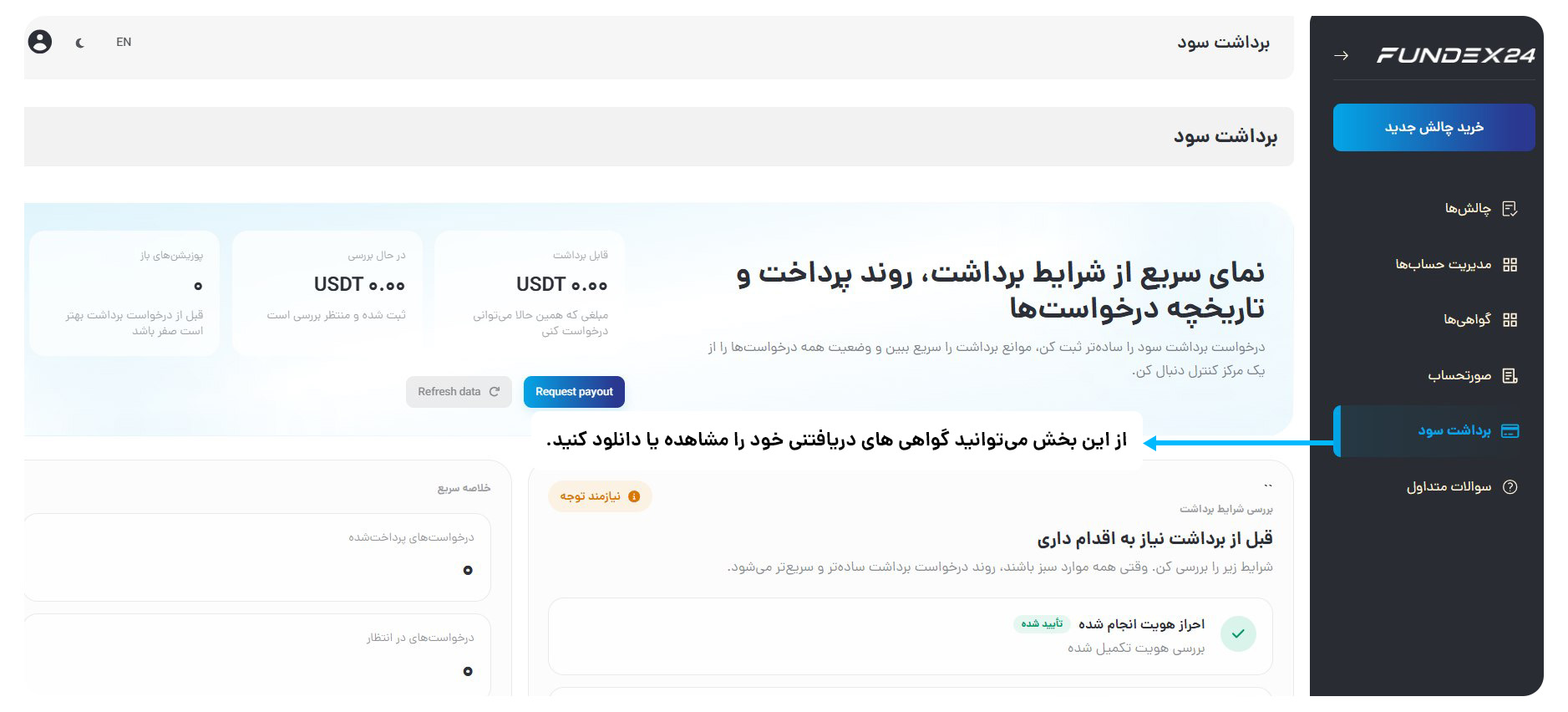
Payout

Fundex24 payout visual guide
10

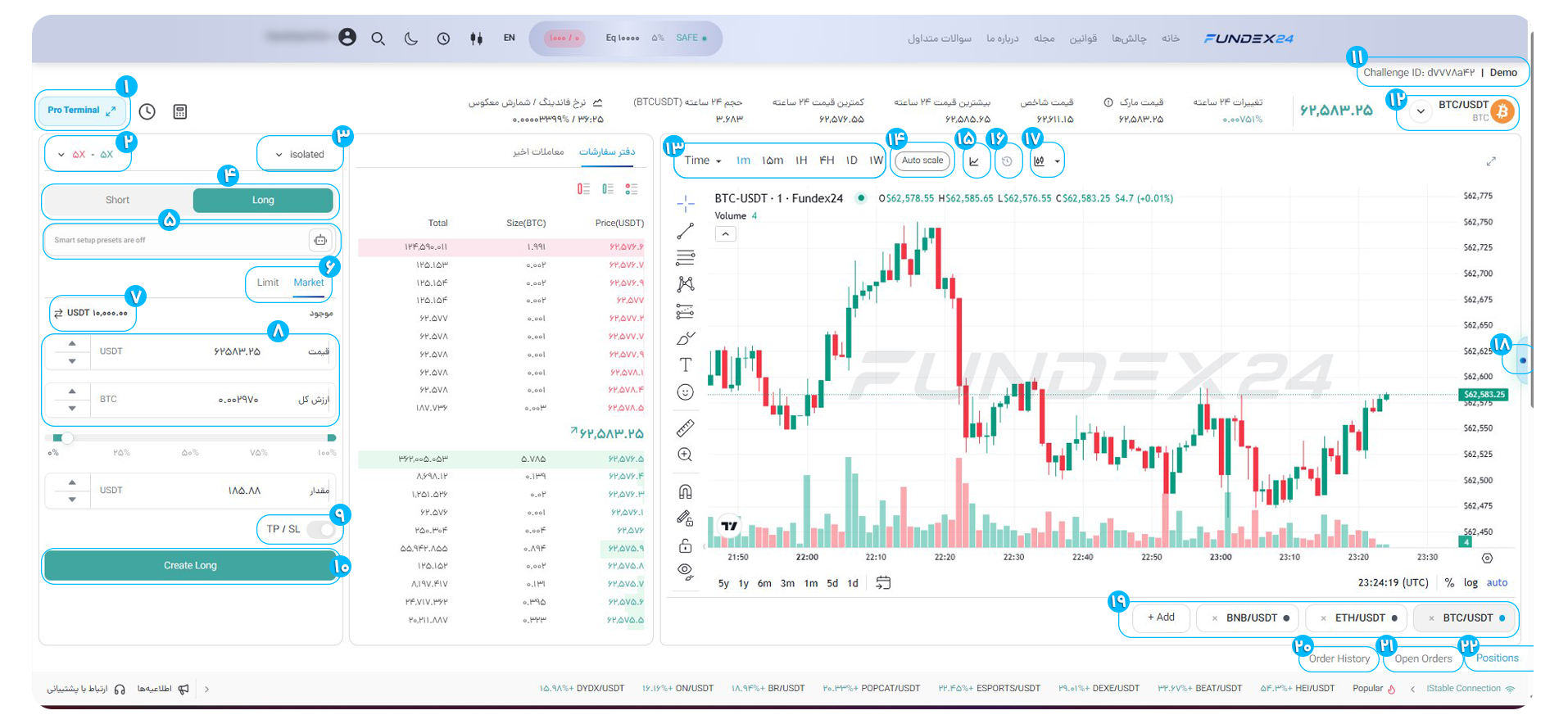
Trading terminal

Fundex24 trading terminal visual guide

Design principle

No decorative or fake route is added; every option points to an existing Fundex24 page.

View FAQ
Help Desk | Fundex24