


Challenge pricing
Looking for a prop firm discount code before you pay for a challenge? The code is PROPOFF10, and it takes 10% off the fee of any Fundex24 crypto prop challenge: $26.10 instead of $29, $53.10 instead of $59, or $80.10 instead of $89. Below is where to type it, the limits that come with it, and what a cheaper fee does and does not change.
Prop firm discount code PROPOFF10: the three prices
Fundex24 sells three challenge plans, and the code works on all of them. The saving is 10% of the fee, so in dollars it is small on every plan and largest on the $10,000 one.
- $3,000 account: $29 normally, $26.10 with the code, a $2.90 saving.
- $6,000 account: $59 normally, $53.10 with the code, a $5.90 saving.
- $10,000 account: $89 normally, $80.10 with the code, an $8.90 saving.
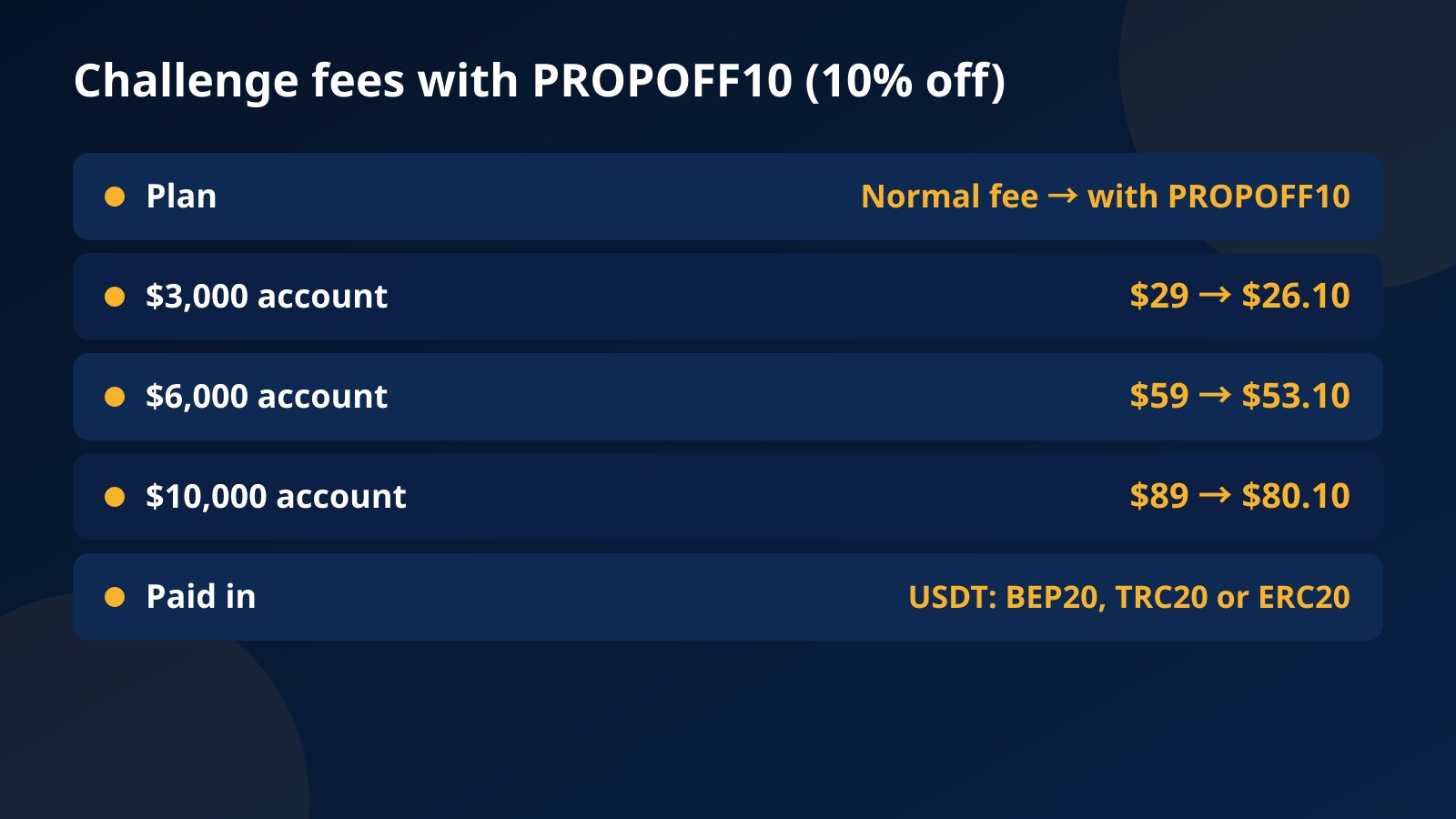
The fee is paid once in USDT, on BEP20 (BSC), TRC20 or ERC20. There is no monthly charge, and you do not need to complete KYC to buy a challenge or start trading it.
New to prop trading? What the fee actually buys
If the word prop is new to you: you pay a one-time fee, from $29, for a challenge account with a set balance. Pass two stages without breaking the loss limits and you move to a funded account, where you keep 80% of the profit. The accounts are simulated, and the fee is the most you can lose on one challenge. The full model is laid out in how crypto prop trading works.
Once you have bought, the path from stage 1 to the first withdrawal is its own topic, with a $10,000 example carried through every step, in the crypto prop firm walkthrough.
Where to enter the code on the challenges page
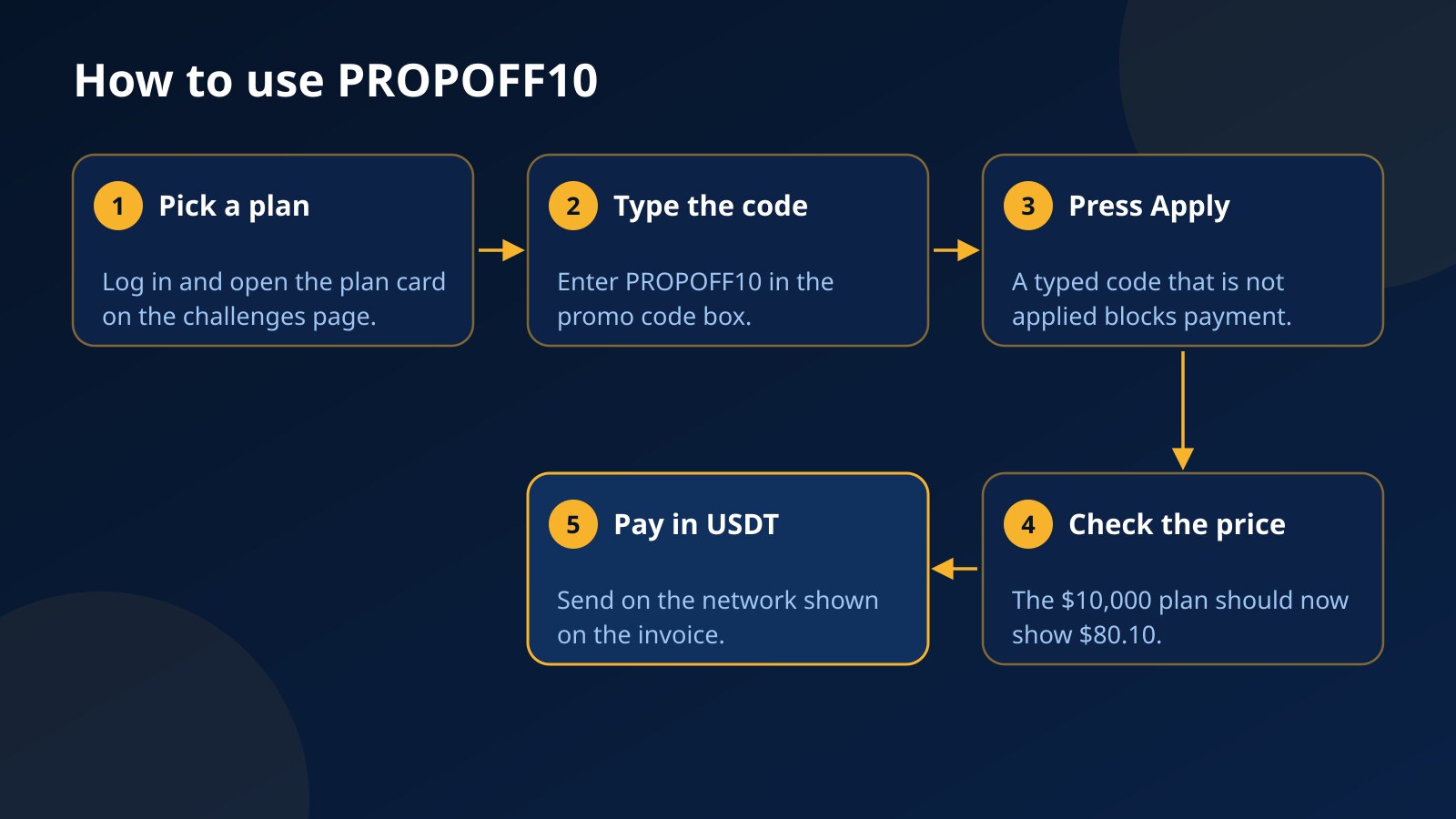
You need to be logged in, because the code is tied to your user account. Then open the Fundex24 challenges page and follow these steps:
- Find the card of the plan you want: $3,000, $6,000 or $10,000.
- Type PROPOFF10 into the promo code box on that card. Capital or small letters both work.
- Press Apply.
- Check that the card now shows the lower price, for example $80.10 on the $10,000 plan.
- Continue to payment and pay the discounted amount in USDT.
Forgot to type it on the card? The payment sheet has a “have a promo code” field as well, so you can add the code there before you pay.
Create your Fundex24 account
Takes a few seconds. You can pick a challenge and add your phone number later.
One detail stops a lot of people: a code that was typed but not applied blocks the payment. Either press Apply or clear the box, and the payment goes through.
How the code works: one use, one code, one discounted account
The rules around the code are short, but each one can change what you pay:
- One use per user account. Once you have bought a challenge with PROPOFF10, the same login cannot use it again.
- One code per purchase. Typing a different code replaces the one already in the box, so codes do not stack.
- Case does not matter. propoff10 in small letters is read the same way.
- Several accounts in one order: the discount covers one of them, and the others are charged the normal fee.
That last point matters if you planned to buy two $10,000 challenges at once. The order would cost $80.10 plus $89, or $169.10, not twice the discounted price.
What a discount does not change
A lower fee changes one number on the invoice. Everything that decides whether you pass stays exactly as it is:
- Profit targets: 10% in stage 1 and 8% in stage 2, with at least 5 trading days in each stage.
- Loss limits: a daily drawdown of 5% of the day’s starting balance and a maximum drawdown of 10% of the initial balance, with both balance and equity watched.
- Leverage up to 1:10, isolated margin only.
- The 80% profit split on the funded account.
- No refund of the fee if you fail the challenge.
Be realistic about what 10% is worth. A first attempt does not always work out, often for the usual challenge mistakes, and because the code is single use, a second $10,000 attempt costs the normal $89. Two attempts come to $169.10 instead of $178, so the code trims the cost of trying by $8.90 and no more. What really keeps that cost down is not needing the retry.
Pick the plan by the loss you can take, not by the discount
It is tempting to jump to the $10,000 plan because the code saves the most dollars there, but the gap is only $6 compared with the $3,000 plan. A better question is which account lets you trade your normal size without getting close to the limits. The limits scale with the account:
- $3,000 account: $150 daily limit on a day that starts at $3,000, a $2,700 floor, and $7.50 of closed profit or loss to count a trading day.
- $6,000 account: $300 daily limit on a day that starts at $6,000, a $5,400 floor, and $15 to count a trading day.
- $10,000 account: $500 daily limit on a day that starts at $10,000, a $9,000 floor, and $25 to count a trading day.
If you usually risk around $30 per trade, five full losses in one day on the $3,000 account already reach its daily limit, while the $10,000 account turns that same $30 into a comfortable 0.3% of the balance. On the other hand, if $80.10 is money you cannot afford to lose, start smaller or practice first. The most you can lose on any plan is the fee you paid.
Before you pay: a five-point checklist
- The price on screen shows the discount. If it still says $89 on the $10,000 plan, press Apply again.
- The USDT network you send on matches the invoice: BEP20, TRC20 or ERC20. Check it on the invoice before you send, not after.
- You have read the full challenge rules, including the high-risk trade rule and what counts as a trading day.
- The code comes from fundex24.com or its blog. Ignore “discount” offers from strangers in Telegram groups or direct messages, and never share your login to get one.
- You have tried the platform. The free practice account gives you $10,000 in virtual money for a short run, and the crypto demo trading account guide shows how to use it.
Payment questions can go to the billing support chat, which is open 24/7.
Crypto prices can move sharply, and a challenge fee is not refunded if you break a rule. Funded accounts at Fundex24 are simulated for evaluation purposes, and no earnings are promised.
Pick a challenge and start trading
Two-step evaluation, transparent rules, profit split up to 80%.
Not sure which size fits? Read the rules · Common questions
Frequently asked questions
Does PROPOFF10 work on every challenge plan?
Yes. It takes 10% off the $3,000, $6,000 and $10,000 plans alike, which brings the fees to $26.10, $53.10 and $80.10.
Can I use the code a second time after failing a challenge?
No. It can be used once per user account, so a new challenge after a failed one is charged the normal fee.
Why does the payment not go through after I typed the code?
A code that sits in the box without being applied holds up the payment. Press Apply and check the new price, or clear the box to pay the normal fee.
Can I combine PROPOFF10 with another code?
No. Only one code applies per purchase, and typing a new one replaces the code already entered.
Is a discounted challenge easier to pass?
No. Targets, loss limits, leverage and the profit split are identical whether you paid the full fee or the discounted one.
Questions about the Fundex24 challenges?
Open the support chat and ask — the team replies right there.
Chat with supportPrefer to read first? Browse the FAQ · Compare the challenges
Continue your learning path
Move from this article to the next useful action or topic.